
treehawk
Track the CPU and RAM usage of a process and every process it spawns, including children that daemonize and detach themselves.
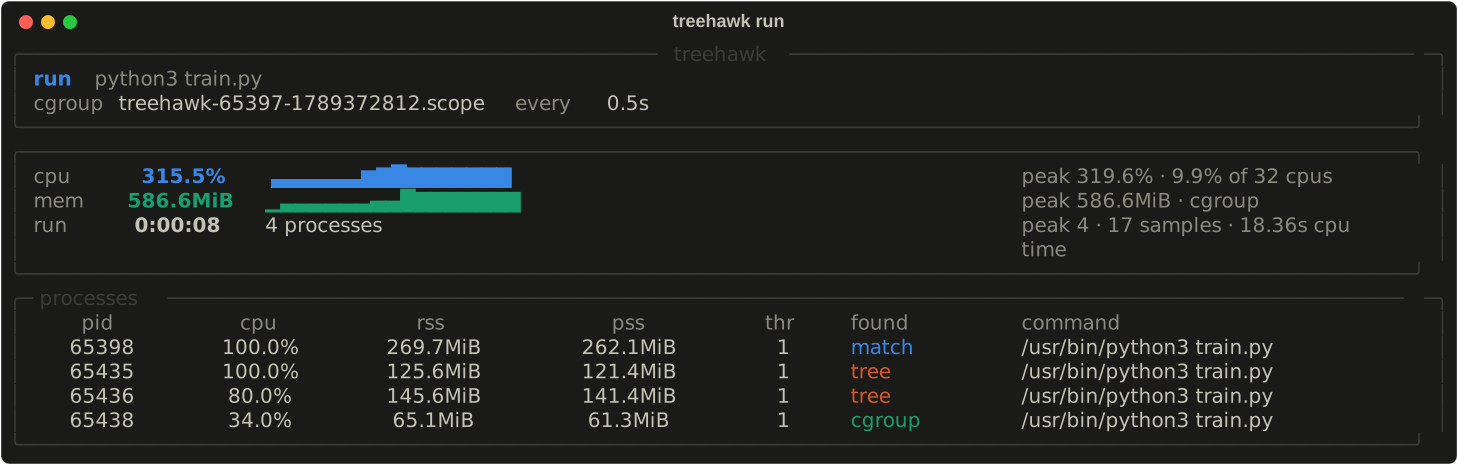
treehawk is a free, open-source resource usage monitor for the command line. Point it at something already running, or let it start the command. It samples until the workload ends, then leaves a log you can summarise in the terminal or turn into a PDF report. It can also follow the busiest processes of the whole machine, as a service from boot to shutdown.
It runs on Linux and macOS, including Apple Silicon, and reads the kernel directly. The two platforms differ in what the kernel will total up for you: see Platforms.
Why
Following parent-child links works until a child daemonizes: fork, setsid,
fork again, and the parent exits. The survivor is re-parented to the machine's reaper
(PID 1, systemd --user, or launchd), and a naive monitor reports the
workload finished while it is still burning a core. treehawk keeps it.


Which command?
| You want to | Use |
|---|---|
| measure a command you are about to start | run |
| measure something that is already running | watch |
| follow the busiest processes of the whole machine, from boot if you like | top and service |
| look at a finished log | report and pdf |
Quick tour
curl -LsSf https://github.com/ibadrather/treehawk/releases/latest/download/install.sh | sh

treehawk run -- python train.py         # start a command and follow it; exact
treehawk watch train.py                 # attach to one that is already running
treehawk report treehawk-*.jsonl        # summary in the terminal
treehawk pdf treehawk-*.jsonl           # an 8-page PDF report
treehawk top                            # the top processes of the whole machine
Install has the installer's options and other ways to install.
Every command also explains itself with --help, and treehawk --version
prints the version.